


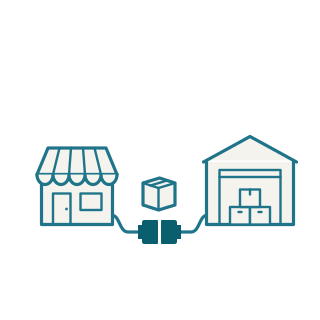
Integrations: connecting ERP, shop and warehouse
When orders move from the shop to the ERP by hand, or stock is kept in two systems, errors and delays follow, and the shop sells goods that are no longer there. An integration takes the data automatically to where it is needed.
Request an initial call 30 min · free of chargeWhat we connect
The systems differ from business to business. Often it is about:
- ERP and online shop: orders, items, prices and stock
- ERP and warehouse: deliveries, stock and shipping
- Document management, accounting, CRM and business applications
- Outside services such as carriers, marketplaces or AI services
Experience with many systems
Philipp Müller has worked with ERP systems such as Microsoft Dynamics 365 Business Central, shops, document management and many other tools for more than seven years, connecting them, extending them and building automations around them.
Built to keep running
An integration has to work even when a system is briefly unavailable. We build it so that errors are noticed, logged and can be caught up. If you like, we also run and monitor it.
Typical starting point
Every morning, orders are typed from the shop into the ERP. Someone reconciles stock in Excel, and the shop still sells goods that are no longer there.
An integration transfers orders and stock automatically, even when a system is briefly unavailable.
| Time | Event | Status |
|---|---|---|
| 08:14 | Order 10432 · Shop → ERP | Transferred |
| 08:14 | Stock item 20117 · ERP → Shop | Updated |
| 08:15 | Order 10433 · shop unavailable | Will retry |
Frequently asked questions
- Which systems does this work with?
- With systems that can share data through an API, an export or a database. We will check that for your systems in the initial call.
- What if a system has no interface?
- There is often still a way, for example through file exports or an extension of the system. We check this before anything is built.
- Do you work with Business Central?
- Yes. Business Central is one of the ERP systems Philipp Müller works with: integrations to shop and warehouse, extensions and automations. We connect other ERP systems in the same way.
- Who looks after it after launch?
- We do, if you like: operation, monitoring and changes when one of the systems changes.
Related services
Process automation, including AI
Recurring workflows run by themselves: transferring data, processing documents, triggering approvals. With AI where it takes work off your hands.
Extensions for existing software
When your ERP or shop can do almost everything except what you need, we build the missing feature instead of replacing the system.
Custom software
If no off-the-shelf solution fits, we build it: browser-based applications and internal tools where everyone sees where a case stands.